Convert image to patch.
import os
import rasterio as rio
from pyrsimg import imgShow, imsShow
from pyrsimg import img2patch
from pyrsimg import crop2patch, crop2extent
import matplotlib.pyplot as plt
import numpy as np
---------------------------------------------------------------------------
ModuleNotFoundError                       Traceback (most recent call last)
Cell In[1], line 2
      1 import os
----> 2 import rasterio as rio
      3 from pyrsimg import imgShow, imsShow
      4 from pyrsimg import img2patch

ModuleNotFoundError: No module named 'rasterio'
root_path = os.getcwd().split('pyrsimg')[0] + 'pyrsimg'
path_img = root_path + '/docs/source/examples/data/l8_scene_05.tif'
path_truth = root_path + '/docs/source/examples/data/l8_scene_05_truth.tif'
1. Read the remote sensing image.
# l8_img = readTiff(path_img)
# l8_truth = readTiff(path_truth)
# l8_img.array.shape

with rio.open(path_img) as rsimg_rio:
    rsimg_arr = rsimg_rio.read().transpose(1, 2, 0)
with rio.open(path_truth) as truthimg_rio:
    truthimg_arr = truthimg_rio.read().transpose(1, 2, 0)
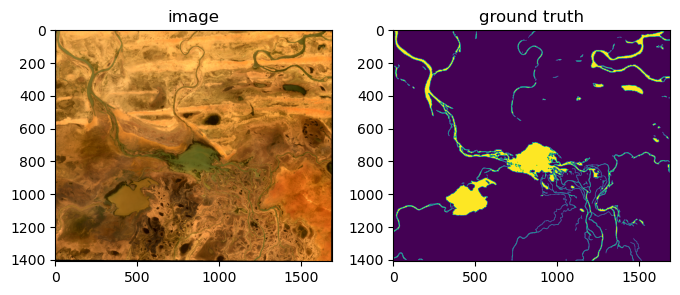
2. Visualize the image.
fig, ax = plt.subplots(1,2,figsize=(8,3))
imgShow(rsimg_arr, ax=ax[0])
ax[1].imshow(truthimg_arr)
ax[0].set_title('image')
ax[1].set_title('ground truth')
Text(0.5, 1.0, 'ground truth')
3. Convert the image to patches.
3.1 Convert image to patches.
imgPat_ins = img2patch(img=rsimg_arr, patch_size=200, edge_overlay = 30)
patch_low_list = imgPat_ins.toPatch()
print('The number of patches from image:' ,len(patch_low_list))
The number of patches from image: 99
3.2. Convert image to higher-scale patches.
patch_high_list = imgPat_ins.higher_patch_crop(higher_patch_size=300)
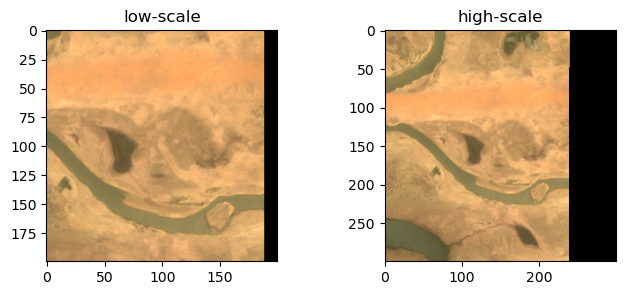
3.3. Check the converted multiscale patches.
i_img = 20
fig, ax = plt.subplots(1, 2, figsize=(8,3))
axs = imsShow(img_list=[patch_low_list[i_img], patch_high_list[i_img]], \
                    img_name_list=['low-scale', 'high-scale'],
                    clip_list=[2,2], axs=ax)
4. Crop patch from image.
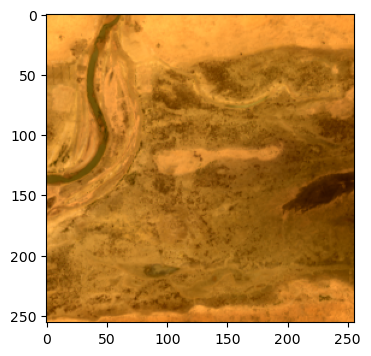
4.1 Image cropping with specific size
img2size = crop2patch(img=rsimg_arr, channel_first=False)
patch = img2size.toSize(size=(256,256))
fig, ax = plt.subplots(1, 1, figsize=(4, 4))
ax_img = imgShow(patch)
4.2. Image cropping with multiscale sizes.
fig, axs = plt.subplots(1,3,figsize=(10, 3))
patches = img2size.toScales(scales=(1024,512,256))
axs = imsShow(img_list=patches, img_name_list=['high scale', 'medium scale', 'low scale'], axs=axs)
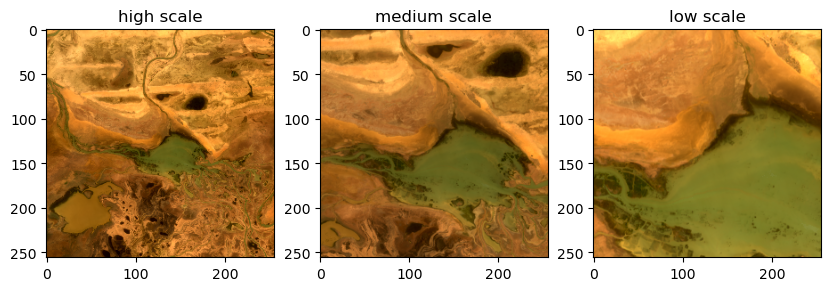
4.3. Image cropping with specific extent
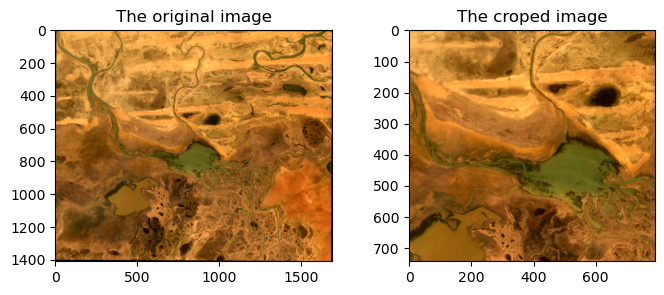
img2extent = crop2extent(extent=[368155.0, 391855.0, 1683985.0, 1706285.0])
patch_extent = img2extent.img2extent(path_img=path_img)
fig, ax = plt.subplots(1,2,figsize=(8,3))
imgShow(img=rsimg_arr, ax=ax[0])
ax[0].set_title('The original image')
imgShow(patch_extent, ax=ax[1])
ax[1].set_title('The croped image');